Get your overdue invoices paid
Add an overdue invoice: SolviPay reminds your client in your company’s name, with a payment link and without damaging the relationship, then prepares the formal notice if nothing happens.
Already have an account? Log inFree for one active case, with no time limit. No credit card. Data hosted in the European Union.
I recommend a firm reminder by email, with a payment link.
2 friendly reminders left unansweredExample case: one recommended action.
From overdue invoice to payment received
The screens below come from the app, in demo mode with fictitious data. The app is shown in French.
-
Step 1 · Add
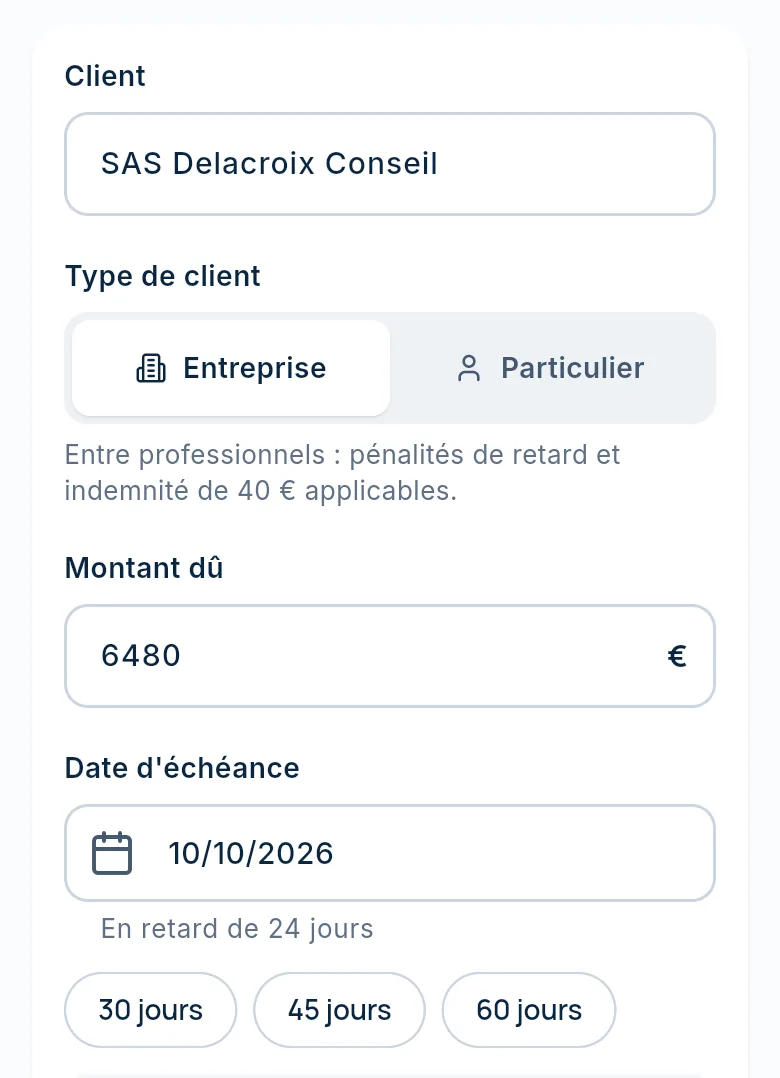
Add the invoice
Three fields open the case: the client, the amount and the due date.
- Business or consumer client: the rules follow
- Client contact details to complete before the first reminder
- Several invoices: import a FEC file, an aged balance, a Pennylane export, Excel or CSV
-
Step 2 · Case
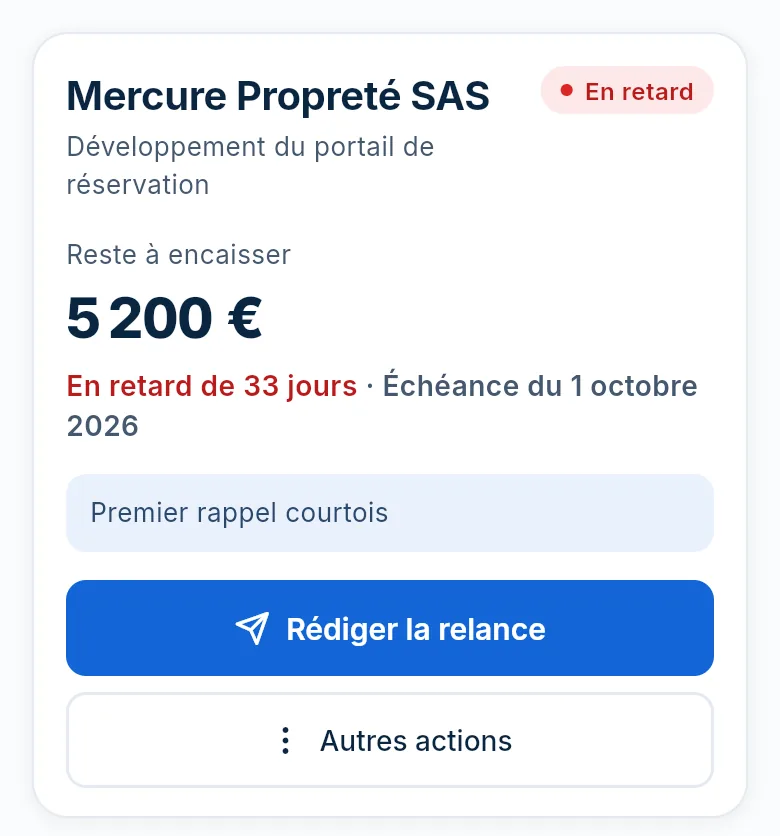
One case per invoice
The case shows what is still owed, how many days late it is, and the one action to take now.
- Amount outstanding and days overdue
- One recommended action, with its reason
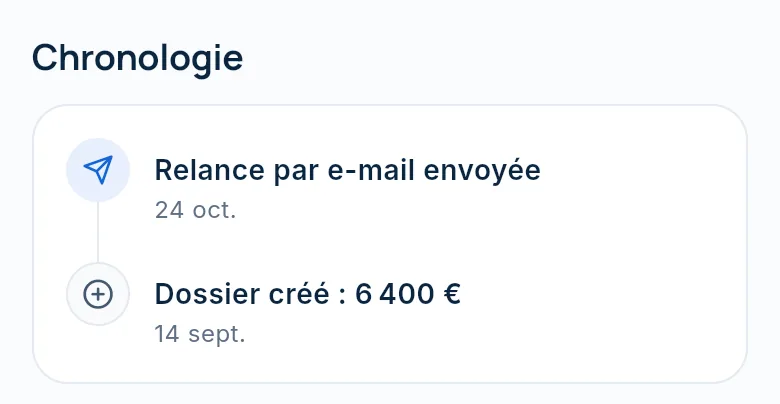
- Reminders and payments dated in the timeline
-
Step 3 · Reminder
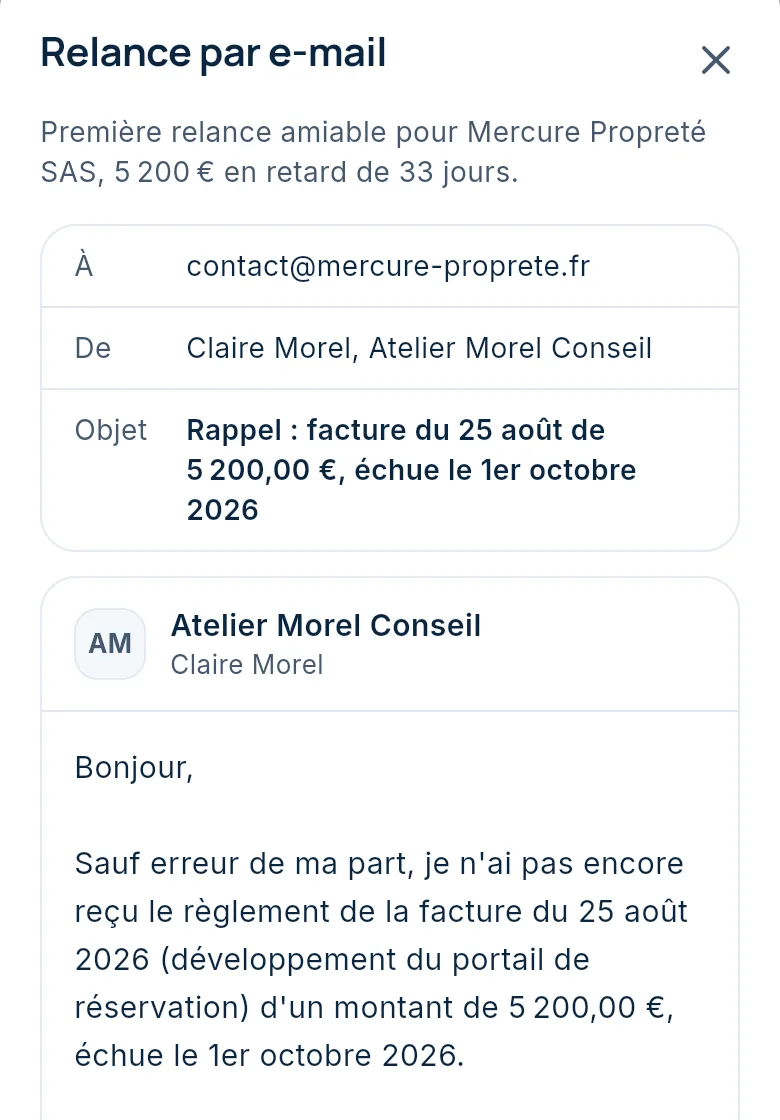
Reminders in your name
You see the email exactly as your client will receive it. You edit it if needed, then you send it.
- Sent in your company’s name
- Your IBAN in the message
- A link to your payment page
-
Step 4 · Formal notice
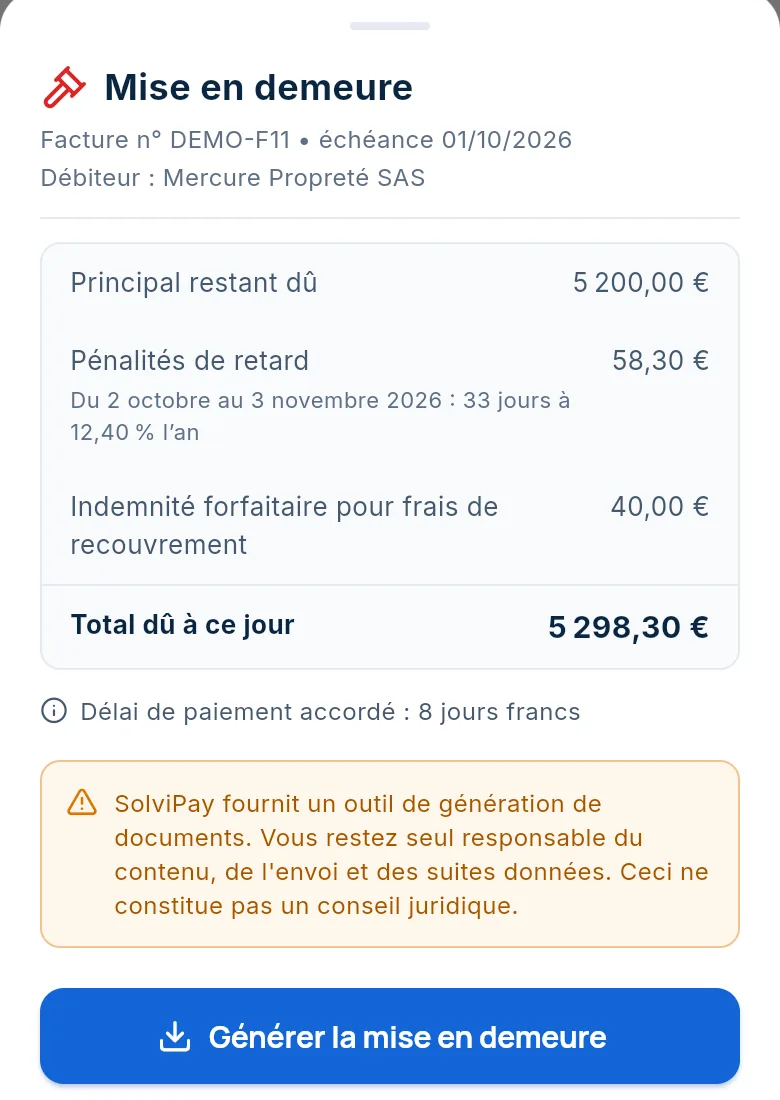
Formal notice
If the reminders get no result, SolviPay works out the amount due and prepares the letter in your name.
- Late payment penalties and €40 compensation for a business client
- You check the amounts before the letter is produced
- A one-page PDF letter that you send yourself
-
Step 5 · Payment
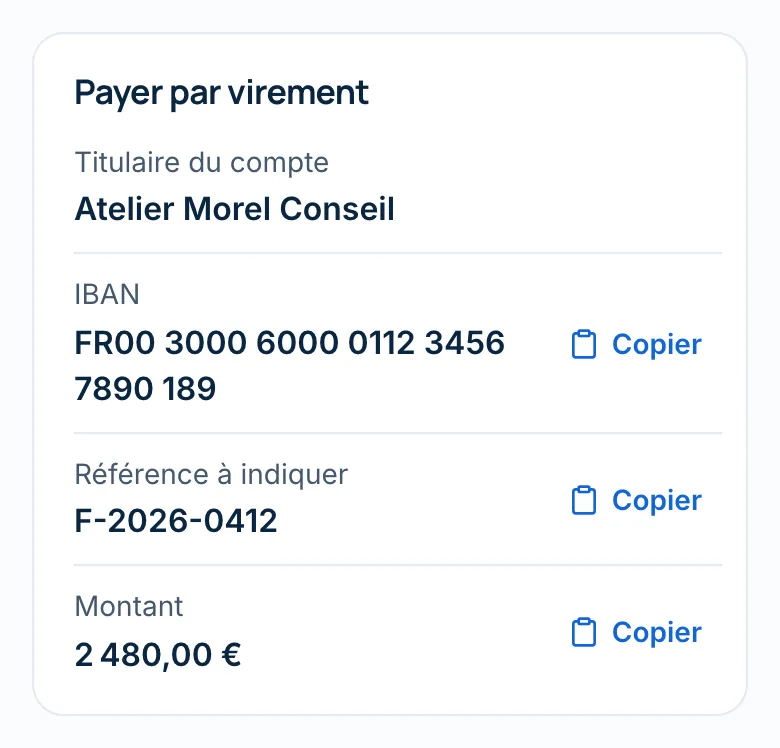
Payment by bank transfer
Your client pays by bank transfer to your account. You record the payment: the case is marked Paid and reminders stop.
- Payment page in your name, linked from the reminder
- Amount, IBAN and reference ready to copy
- No more reminders once the invoice is paid
-
Step 6 · Legal action
If the client still does not pay
The next steps go through the court or a commissaire de justice (judicial officer, formerly huissier de justice). Since the law of 23 April 2026, an undisputed debt between businesses can also be recovered without a judge. SolviPay does not take these steps for you.
- Dated history of the reminders sent
- Formal notice recorded in the case
- Dispute flagged and dated
Order for payment: the guide (in French) Unpaid invoice: the steps (in French)
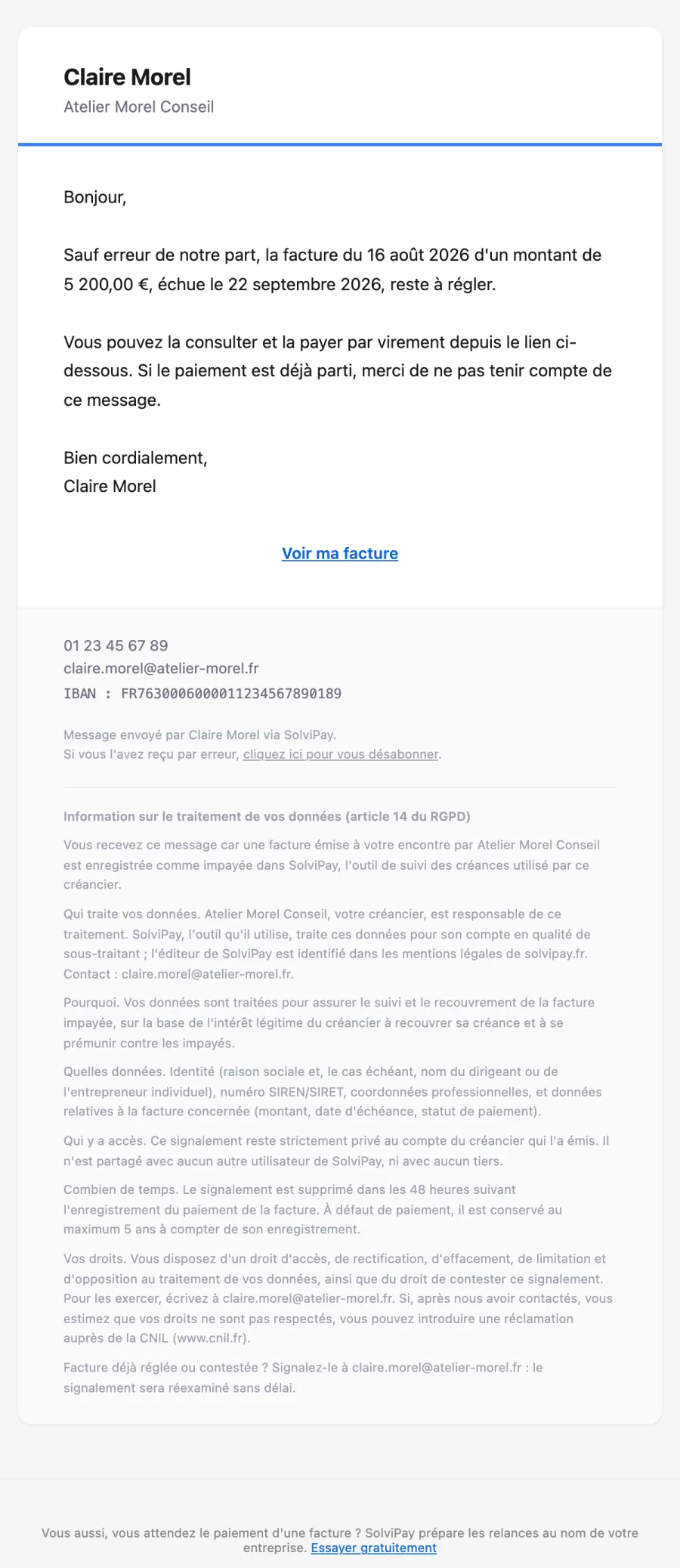
What your client receives
This is a first reminder as it goes out, generated from the same template as real emails, with fictitious data. The email is in French.
- Your company’s name at the top
- A link to the invoice and the payment page
- Your IBAN for the bank transfer
- The line “sent via SolviPay” at the bottom of the message
As soon as the payment is recorded, reminders stop.
Business and individual clients
The client type is chosen when the case is created. Reminders follow the rules that apply to it.
Business client
Late payment penalties and fixed compensation of €40 for recovery costs, owed between businesses (Articles L441-10 and D441-5 of the French Commercial Code). Limitation period: five years.
Individual client
No late payment penalties under the Commercial Code and no fixed compensation: the reminder covers the amount due. Limitation period: two years (Article L218-2 of the French Consumer Code).
Pricing
Software
€290 excl. VAT/month
Your team chases, SolviPay prepares each step.
- Import your invoices: FEC file, aged balance, Pennylane export, Excel or CSV
- Reminders in your company’s name up to the formal notice
- Payment page in your name in every email reminder
Managed
€690 excl. VAT/month
An expert handles your late payments for you.
- All of the software
- An expert runs your reminders every week
- Promises and disputes tracked, each step prepared up to the commissaire de justice (judicial officer)
Set-up: €590 excl. VAT. Actions at actual cost, no commission on amounts collected. Prices exclude VAT, which is added at the applicable rate. One active case free to try it: a case that is paid, lost or cancelled frees up the slot. Cancel at any time.
Frequently asked questions
Are these reminders legal?
Yes. SolviPay is software: reminders are sent in the name of your company, which remains the creditor. Late payment penalties and the €40 fixed compensation are only claimed from business clients.
How does my client pay me?
By bank transfer, straight to your account. Your IBAN appears in every email reminder, and the payment page shows the reference to quote. Card payment is not available yet.
How much does SolviPay cost?
Set-up €590 excl. VAT, then €290 per month for the software, or €690 per month with an expert running your reminders. Actions are billed at actual cost, with no commission on amounts collected. One active case stays free to try it.
When is the first reminder sent?
As soon as you approve it. Three days before the due date, a courtesy reminder is also sent to your client automatically.
Where is my data hosted?
In the European Union: the database is hosted in Frankfurt, Germany. Details are in the privacy policy (in French).
Can I cancel at any time?
Yes, from your account, with no notice period or fees. Your cases remain accessible.
Is there a mobile app?
Not yet on the App Store or Google Play. SolviPay works in your phone’s browser, with the same account.
One active case free, with no time limit
All you need is the debtor, the amount and the due date.
Add an unpaid invoice Already have an account? Log inPayment received by bank transfer. Case closed.
Example of a paid case.